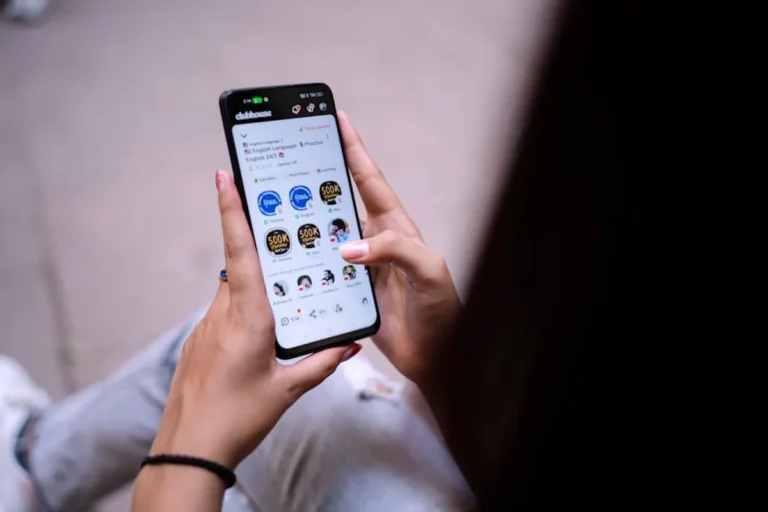
Deep links are fundamental for bridging the gap between web content and native mobile applications, providing a seamless user experience that directly impacts engagement and conversion rates. For businesses operating both a website and a mobile app, deep links eliminate friction by directing users from a web page or another app directly to specific content within their own native application, bypassing the need to navigate through the app's homepage. This capability is critical for marketers and developers aiming to optimize user journeys, enhance app discoverability, and improve retention.
The strategic deployment of deep links is not merely a technical implementation; it is a user experience imperative that influences key performance indicators such as app session duration, conversion rates for in-app actions, and overall customer satisfaction. Understanding the various types of deep links and their appropriate use cases allows for precise targeting and a more efficient allocation of marketing resources, ensuring users land exactly where they need to be to complete a desired action or consume specific content.
Core Concepts of Deep Linking
Deep linking refers to using a Uniform Resource Identifier (URI) that links to a specific location within a mobile app rather than simply launching the app or directing to its app store page. This mechanism ensures users are taken directly to relevant content, whether that's a product page, a user profile, or a specific article.
There are several classifications of deep links, each serving distinct purposes:
- Standard Deep Links: These links work only if the app is already installed on the user's device. If the app is not present, the link typically fails or directs the user to an error page. They are the simplest form, relying on custom URI schemes registered by the app.
- Deferred Deep Links: These links are more sophisticated. If the app is not installed, the user is first directed to the app store (Google Play Store or Apple App Store) to download the app. After installation, the app launches and navigates the user to the intended specific content. This "deferral" ensures the user's original intent is preserved post-installation.
- Contextual Deep Links: Building on deferred deep linking, contextual links carry additional data about the user, their referring source, and the content they were trying to access. This allows for personalized onboarding, attribution tracking, and dynamic content presentation within the app, even after a fresh install.
The primary benefit of deep links is the reduction of user friction. Instead of searching for an item within an app after clicking a web link, users arrive directly at the desired content, leading to higher engagement and lower abandonment rates. This directly translates to improved conversion funnels for app-based transactions or content consumption.
Implementing Deep Links with URI Schemes
The most basic form of deep linking utilizes custom URI schemes. These are unique identifiers registered by your mobile app, allowing the operating system to recognize and open your app when a specific scheme is invoked. For example, a scheme might look like myapp://path/to/content?id=123.
Configuration Steps
To implement URI schemes:
- Define a Custom Scheme: Within your app's manifest (e.g.,
AndroidManifest.xmlfor Android,Info.plistfor iOS), declare a unique URI scheme for your application. This scheme should be specific enough to avoid conflicts with other apps. - Handle the Incoming URI: Implement logic within your app to parse the incoming URI. This involves extracting the path, query parameters, and any other relevant data to navigate the user to the correct in-app screen or content.
- Create the Link: Once the scheme and handling logic are in place, you can construct links using this scheme. These links can be embedded in emails, SMS messages, social media posts, or even on your website.
Considerations: While straightforward, URI schemes have limitations. They do not provide a graceful fallback if the app is not installed, often resulting in an error or a blank page. They also require manual handling of potential conflicts if multiple apps register the same scheme, though this is rare for well-chosen unique schemes.
Leveraging Universal Links (iOS) and App Links (Android)
To address the shortcomings of custom URI schemes, Apple introduced Universal Links for iOS, and Google followed with App Links for Android. These technologies offer a more robust and secure method for deep linking, using standard HTTP/HTTPS links that work across both web and app environments.
How They Function
Universal Links and App Links leverage your existing web domain. When a user clicks an HTTP/HTTPS link associated with your domain, the operating system checks if your app is installed and configured to handle that specific URL. If so, the app opens directly to the relevant content. If the app is not installed, the link simply opens in the mobile web browser, ensuring a seamless fallback experience.
Implementation Requirements
Implementing Universal Links and App Links requires server-side configuration and app-side setup:
For iOS Universal Links:
- Host an
apple-app-site-associationfile: This JSON file must be hosted at the root of your web domain () or within a.well-knownsubdirectory (). It specifies which paths on your domain your app can handle and your app's bundle ID. - Configure Your App: In Xcode, associate your app with your domain by adding the "Associated Domains" capability and listing your domain with the
applinks:prefix (e.g.,applinks:yourdomain.com). - Handle the Link in Your App: Implement the
application:continueUserActivity:restorationHandler:method in your app delegate to process the incoming URL and navigate to the appropriate content.
For Android App Links:
- Host an
assetlinks.jsonfile: Similar to iOS, this JSON file must be hosted at. It establishes a secure association between your website and your Android app using your app's package name and SHA256 fingerprint. - Declare Intent Filters in
AndroidManifest.xml: For each URL path your app should handle, add antags specifying the scheme (http,https), host (your domain), and optional path prefixes. - Verify App Link Association: In your app's code, you can use the Android system's App Links verification API to confirm the association between your domain and app.
Pro Tip: Always prioritize Universal Links and App Links over custom URI schemes. They offer a superior user experience with built-in fallbacks and enhanced security, as they require domain ownership verification. This prevents malicious apps from intercepting links intended for your application.
Optimizing Deep Link Performance
Effective deep linking extends beyond initial setup. Ongoing optimization ensures maximum impact on user engagement and app metrics.
Fallback Strategies
While Universal Links and App Links provide automatic web fallbacks, consider explicit fallback strategies for scenarios where the app might not be installed, or the deep link leads to deprecated content. This could involve redirecting to a relevant page on your mobile website, a specific app store page, or a custom landing page that encourages app installation.
Analytics and Attribution
Integrate deep link tracking with your analytics platforms. This allows you to measure key metrics such as:
- Click-through rates (CTR) for deep links.
- Number of app opens via deep links.
- Conversion rates for in-app actions initiated from deep links.
- Attribution of app installs and subsequent actions to specific marketing campaigns that utilized deep links.
Contextual deep links are particularly powerful here, as they can pass campaign IDs, referrer data, and user segments directly into the app for granular attribution and personalized experiences.
Testing and Validation
Thorough testing is crucial. Deep links can be complex due to variations in operating systems, device types, and app versions. Test deep links across a range of devices and scenarios:
- App installed vs. app not installed.
- Different OS versions (e.g., older iOS vs. latest iOS).
- Various entry points (email, social media, web browser).
- Ensure all parameters are passed correctly and content loads as expected.
Strategic Deep Link Deployment
Deep links are not just for technical implementation; they are a strategic asset. Deploy them where they can reduce friction and enhance user journeys:
Email Marketing: Direct users from promotional emails directly to product pages or special offers within your app.
Social Media Campaigns: Link posts to specific content in your app, such as a trending article, a new feature, or a user-generated content feed.
SMS Campaigns: Use deep links in transactional or promotional SMS messages to guide users to relevant app sections.
QR Codes: Embed deep links in QR codes for physical marketing materials, allowing users to scan and instantly access app content.
Search Engine Optimization (SEO): Ensure your app content is discoverable by search engines through app indexing. This allows relevant app pages to appear in mobile search results, with deep links directing users directly into the app.
Frequently Asked Questions
What is the main difference between a standard link and a deep link?
A standard link typically points to a website or the app's main app store page, while a deep link directs users to a specific piece of content or a particular screen within a mobile application, bypassing the app's home screen.
Do deep links work if the user doesn't have the app installed?
Standard deep links (URI schemes) generally do not work if the app is not installed. However, Universal Links (iOS) and App Links (Android) provide a seamless fallback to the mobile web browser, and deferred deep links can direct users to the app store first, then to the content after installation.
Why are deep links important for app engagement?
Deep links reduce user friction by taking them directly to desired content, eliminating the need for manual navigation within the app. This direct path improves user experience, increases the likelihood of completing in-app actions, and boosts overall app retention and engagement metrics.
How do deep links relate to app SEO?
Deep links enable search engines to index specific content within your mobile app. When users search for relevant information on their mobile devices, deep-linked app content can appear in search results, allowing users to click directly into the app for a richer experience, thus improving app discoverability and organic traffic.