Discord's native small text capabilities offer a foundational layer for nuanced communication, allowing users to emphasize points, denote technical snippets, or add stylistic flair within messages. This functionality, primarily achieved through markdown or Unicode character sets, enables users to render text in ways that deviate from the standard message format. However, the built-in options present limitations in terms of true font size control, stylistic variety, and ease of use for complex formatting. Understanding these limitations is critical for professionals who rely on clear, precise, or visually distinct communication within Discord channels, whether for internal team coordination, community management, or client engagement.
For those seeking to move beyond Discord's default text presentation, exploring external tools and alternative platforms becomes a strategic consideration. This guide details Discord's inherent small text features and then evaluates a range of alternatives that offer enhanced control over text appearance, specialized formatting for technical content, or broader communication capabilities. The objective is to equip users with actionable insights to select the most effective solution for their specific communication requirements, ensuring messages are not only understood but also presented with optimal clarity and impact. This guide details Discord's inherent small text features and then evaluates a range of alternatives, including comprehensive guides on how to use small text.
Discord Small Text: Overview, Features, and Uses
Discord's approach to "small text" primarily relies on markdown syntax and the use of specific Unicode characters. While not offering direct font size selection, these methods allow for visual distinctions that serve various communication purposes.
Native Features and How to Achieve Them:
- Superscript: Achieved by using specific Unicode characters that visually appear smaller and raised. For example, typing "⁰¹²³⁴⁵⁶⁷⁸⁹⁺⁻⁼⁽⁾" for numbers or finding similar characters for letters. This is not a direct markdown feature but a character substitution.
- Subscript: Similar to superscript, subscript relies on Unicode characters like "₀₁₂₃₄₅₆₇₈₉₊₋₌₍₎". These are manually inserted or generated via external tools.
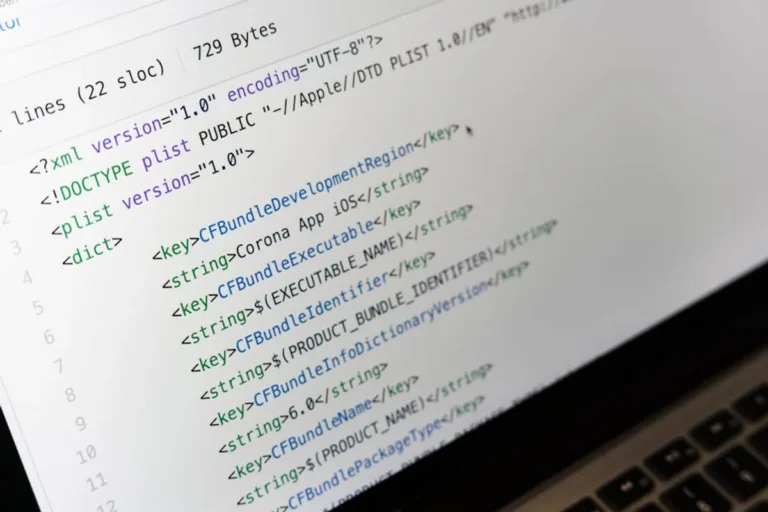
- Code Blocks (Monospace Text): Using backticks (`) for inline code or triple backticks (```) for multi-line code blocks renders text in a monospace font, which often appears slightly smaller or distinct from the default text, making it suitable for technical snippets, commands, or specific data points.
- Strikethrough: Using two tildes (~~text~~) applies a strikethrough effect, which, while not making text smaller, visually separates it and can be used for corrections or indicating removed content.
Common Uses:
- Emphasis and Annotation: Superscript or subscript can annotate points without breaking the flow of a sentence, ideal for references, footnotes, or mathematical notations.
- Technical Communication: Code blocks are indispensable for sharing programming snippets, terminal commands, or configuration files, preserving formatting and readability.
- Role-Playing and Creative Writing: Stylized Unicode text or monospace blocks can represent different character voices, thoughts, or specific in-game elements.
- Aesthetic Distinction: Some users employ these methods purely for visual appeal, to make certain parts of their messages stand out or to create custom channel names.
Limitations:
Discord's built-in small text options lack true font size control. Users cannot arbitrarily adjust text dimensions; they are limited to the visual effects provided by specific Unicode characters or the monospace styling of code blocks. This often requires manual character lookup or reliance on external text generators, adding friction to the communication process for complex or frequent formatting needs.
What to Look For in an Alternative
When evaluating alternatives to Discord's native small text features, consider solutions that address specific communication challenges. Focus on tools that offer granular control over text appearance, enhance readability for specialized content, or streamline the creation of visually distinct messages.
- True Font Size Control: The ability to select and apply precise font sizes, rather than relying on character substitutions or fixed monospace styles.
- Rich Text Formatting: Comprehensive options beyond basic bold, italics, and strikethrough, including custom fonts, colors, and paragraph styling.
- Specialized Content Handling: Dedicated features for code snippets, mathematical equations, tables, or complex data structures that maintain formatting upon transfer.
- Ease of Use: Intuitive interfaces, keyboard shortcuts, or simple commands that reduce the effort required to format text.
- Integration Capabilities: Whether the tool can seamlessly integrate with Discord (e.g., via bots, embeds) or if it serves as an alternative communication platform altogether.
- Preview Functionality: Real-time previews of formatted text to ensure the desired appearance before publishing.
- Accessibility: Options that ensure formatted text remains readable and accessible to all users, including those with visual impairments.
1. Unicode Text Generators (e.g., LingoJam, FancyTextGenerator)
Unicode text generators are web-based tools that convert standard Latin characters into visually distinct Unicode equivalents. These tools leverage the vast Unicode character set to produce text that appears "small," "fancy," "bold," or "italicized" by using specific glyphs that resemble standard letters but are technically different characters. The generated text can then be copied and pasted into Discord or any other platform that supports Unicode.
Key Features:
- Wide range of text styles (e.g., tiny text, bubble text, mirrored text, various script fonts).
- Instant conversion of input text.
- No installation required; browser-based access.
Pricing: Free, typically supported by ads or voluntary donations.
Best for: Users seeking purely aesthetic text modifications for Discord messages, usernames, or channel names. Ideal for quick, one-off text styling without needing advanced formatting controls.
Pros:
- Accessibility: Widely available online and simple to use for anyone with internet access.
- Variety: Offers a broad spectrum of stylistic options beyond Discord's native capabilities.
- No Integration Required: Functions independently; generated text is simply pasted into Discord.
- Visual Distinction: Creates text that immediately stands out from standard message content.
Cons:
- Readability Concerns: Some generated Unicode styles can be difficult to read for certain users or on specific devices.
- Accessibility Issues: Screen readers may struggle to interpret some complex Unicode characters correctly, potentially excluding users.
- Not True Font Sizing: Does not actually change font size but uses characters that appear smaller.
- Manual Process: Requires switching between Discord and the generator, then copying and pasting.
2. Discord Bots for Text Formatting (e.g., Dyno, MEE6, Embed Bots)
Discord bots extend the platform's functionality, with many offering advanced text formatting capabilities beyond native markdown. These bots can create rich embeds, custom announcements, or even generate stylized text through commands. Bots like Dyno or MEE6 include embed builders that allow for structured messages with custom titles, descriptions, fields, and even color bars, providing a more robust presentation than simple text. Other specialized bots focus solely on generating specific text styles or effects.
Key Features:
- Embed message creation with customizable elements (title, description, fields, images, footers).
- Color customization for embed sidebars.
- Scheduled messages and announcements with rich formatting.
- Some bots offer commands for specific text effects (e.g., ASCII art, stylized fonts).
Pricing: Many core features are free; premium tiers offer additional commands, customization, and higher limits (e.g., Dyno Premium from $4.99/month, MEE6 Premium from $11.99/month).
Best for: Community managers, server administrators, and content creators who need to deliver structured, visually appealing announcements, rules, or informational messages within Discord, or automate certain text-based interactions.
Pros:
- Enhanced Presentation: Embeds offer a professional and organized way to display information, far surpassing basic text.
- Automation: Bots can automate message delivery, scheduling, and moderation tasks.
- Server-Wide Consistency: Ensures consistent branding and messaging across a Discord server.
- Integrated Workflow: Operations are performed directly within Discord using commands.
Cons:
- Learning Curve: Mastering bot commands and embed syntax can require initial effort.
- Dependency: Relies on the bot's uptime and continued development; if a bot goes offline, functionality is lost.
- Permission Management: Requires careful management of bot permissions to prevent misuse.
- Cost for Advanced Features: Premium features, which often include more extensive embed customization, incur a subscription fee.
3. Advanced Markdown Editors (e.g., Typora, Obsidian)
Advanced markdown editors are standalone applications or plugins that provide a more powerful and user-friendly environment for writing and previewing markdown-formatted text. Unlike Discord's basic markdown, these editors often support extended markdown syntax, offer live previews, and can handle complex documents. Users can compose their messages in these editors, taking advantage of features like tables, task lists, and code blocks with syntax highlighting, then copy the rendered or raw markdown into Discord.
Key Features:
- Live preview of markdown as you type (WYSIWYG-like).
- Support for extended markdown syntax (e.g., tables, footnotes, task lists, math blocks).
- Syntax highlighting for code blocks.
- File management and organization for markdown documents.
- Export options to various formats (HTML, PDF).
Pricing: Many are free (e.g., Obsidian's core app, VS Code with extensions); some, like Typora, offer a one-time purchase ($14.99) after a trial period.
Best for: Technical writers, developers, project managers, and anyone who regularly composes detailed, structured, or technical documentation that needs to be shared in Discord while maintaining specific formatting and readability.
Pros:
- Enhanced Writing Experience: Provides a focused environment for drafting complex messages with rich formatting.
- Consistency: Ensures markdown is correctly structured before pasting, reducing errors in Discord.
- Offline Access: Allows for document creation and editing without an internet connection.
- Versatility: Can be used for general note-taking and documentation beyond just Discord communication.
Cons:
- Extra Step: Requires composing outside Discord and then copying, adding a step to the workflow.
- Discord Limitations: Not all extended markdown features will render correctly in Discord; only basic markdown is universally supported.
- No Direct Integration: Does not directly interact with Discord beyond copy-pasting.
- Software Installation: Requires downloading and installing a separate application.
4. Code Snippet Platforms (e.g., Pastebin, GitHub Gist)
Code snippet platforms are specialized web services designed for sharing blocks of code, configuration files, or any text that benefits from preserved formatting, line numbering, and syntax highlighting. While not directly offering "small text," they provide a superior alternative for sharing technical content that Discord's native code blocks might truncate or render less effectively for large volumes. Users upload their text, receive a shareable link, and then post that link in Discord.
Key Features:
- Syntax highlighting for numerous programming languages.
- Line numbering for easy reference.
- Version control for snippets (GitHub Gist).
- Privacy settings (public, unlisted, private).
- Embed options for websites.
Pricing: Free for basic usage; Pastebin Pro offers additional features for $2.99/month. GitHub Gist is free as part of GitHub.
Best for: Developers, IT professionals, and technical support teams who frequently share code, logs, configuration files, or extensive error messages within Discord, ensuring readability and accurate formatting.
Pros:
- Preserves Formatting: Ensures complex code and technical text are displayed exactly as intended, including indentation and special characters.
- Readability: Syntax highlighting and line numbering significantly improve the readability of technical content.
- Version Control: Gists allow for tracking changes to snippets over time, which is crucial for collaborative development.
- Reduces Clutter: Keeps long code blocks out of Discord chat, replacing them with a concise link.
Cons:
- External Link: Requires users to click an external link to view the content, moving them away from Discord.
- Not for Casual Text: Overkill for simple text formatting or short messages.
- No Live Chat Integration: Does not offer real-time interaction with the content directly within Discord.
- Privacy Considerations: Users must be mindful of what they share publicly.
5. Slack
Slack is a widely adopted team communication platform that offers its own robust set of text formatting features, serving as an alternative environment for communication where specific text presentation is critical. While it doesn't offer "small text" in the same way as Unicode generators, it provides comprehensive markdown-like options for emphasis, code, lists, and quotes, which can be more structured and visually distinct than Discord's basic offerings.
Key Features:
- Rich text editor with bold, italics, strikethrough, code blocks, bulleted and numbered lists, blockquotes.
- Threaded conversations for organized discussions.
- Integration with numerous third-party applications.
- Customizable channels and user groups.
- Huddle feature for quick audio/video calls.
Pricing: Free for basic features; Pro ($7.25/user/month), Business+ ($12.50/user/month), and Enterprise Grid (custom pricing) tiers offer expanded history, integrations, and security features.
Best for: Professional teams and organizations seeking a dedicated communication platform with strong text formatting capabilities for project discussions, internal announcements, and structured information sharing, especially where Discord's social-first interface is less suitable.
Pros:
- Professional Formatting: Offers a more polished and structured approach to text formatting suitable for business communication.
- Organization: Strong features for channel organization, threading, and search, making information easier to find.
- Integrations: Extensive ecosystem of app integrations for enhanced workflow.
- Focused Environment: Designed specifically for workplace collaboration, minimizing distractions common in gaming-centric platforms.
Cons:
- Cost: Can become expensive for larger teams requiring premium features.
- Different Ecosystem: Requires migrating communication from Discord, which may not be feasible for existing communities.
- No Direct "Small Text": Does not offer specific "small text" functionality via Unicode; formatting is standard rich text.
- Resource Intensive: Can consume more system resources than Discord for some users.
6. Telegram
Telegram is a popular messaging application known for its focus on security, large group capabilities, and rich media support. It provides its own set of text formatting options, including bold, italics, monospace, strikethrough, and underlined text, which are accessible through a contextual menu or specific markdown. While it doesn't offer arbitrary "small text," its formatting capabilities are more extensive and user-friendly than Discord's basic markdown, and it supports bots that can further enhance text presentation.
Key Features:
- Rich text formatting (bold, italics, monospace, strikethrough, underline) via markdown or contextual menu.
- Large group chats and channels with extensive member limits.
- Secret chats with end-to-end encryption.
- Powerful bot API for custom integrations and text manipulation.
- Cross-platform availability with sync across devices.
Pricing: Free for all core features. Telegram Premium offers additional features for $4.99/month.
Best for: Users and communities that prioritize secure, feature-rich messaging with good text formatting options, particularly those managing large public channels or requiring enhanced privacy for sensitive communications.
Pros:
- Enhanced Formatting: Offers a broader range of native text formatting options compared to Discord's basic markdown.
- Bot Ecosystem: Powerful and flexible bot API allows for custom text generation and formatting tools.
- Privacy Focus: Strong emphasis on security and privacy, including end-to-end encrypted secret chats.
- Large Scale: Supports extremely large groups and channels, suitable for broad community communication.
Cons:
- Different Audience: User base and community dynamics may differ significantly from Discord's.
- No Direct "Small Text": Like Slack, it doesn't offer native arbitrary "small text" via font size control.
- Migration Effort: Moving an established community from Discord to Telegram requires significant effort.
- Feature Overload: The sheer number of features can be overwhelming for new users.
7. Text-to-Image Generators
Text-to-image generators are tools that convert text into an image file. This approach bypasses the limitations of platform-specific text formatting entirely, allowing for complete control over font styles, sizes, colors, backgrounds, and special effects. Users input their desired text, customize its appearance within the generator, and then export it as a PNG, JPG, or GIF. This image can then be uploaded and shared in Discord, appearing exactly as designed.
Key Features:
- Full control over font selection, size, and color.
- Customizable backgrounds, gradients, and textures.
- Ability to add effects like shadows, outlines, and glows.
- Export to common image formats (PNG, JPG, GIF).
- Some tools offer templates or pre-designed styles.
Pricing: Many basic generators are free; more advanced tools or graphic design software (e.g., Canva, Adobe Express) have free tiers with premium subscriptions (e.g., Canva Pro from $14.99/month).
Best for: Graphic designers, marketers, and creative community managers who need pixel-perfect control over text appearance for branding, announcements, memes, or highly stylized messages where standard text formatting is insufficient.
Pros:
- Ultimate Customization: Offers unparalleled control over every aspect of text presentation, including true font size.
- Visual Consistency: Ensures text appears identical across all devices and platforms, regardless of client settings.
- Brand Alignment: Ideal for maintaining specific brand fonts, colors, and visual styles in communication.
- Impactful Messaging: Visually