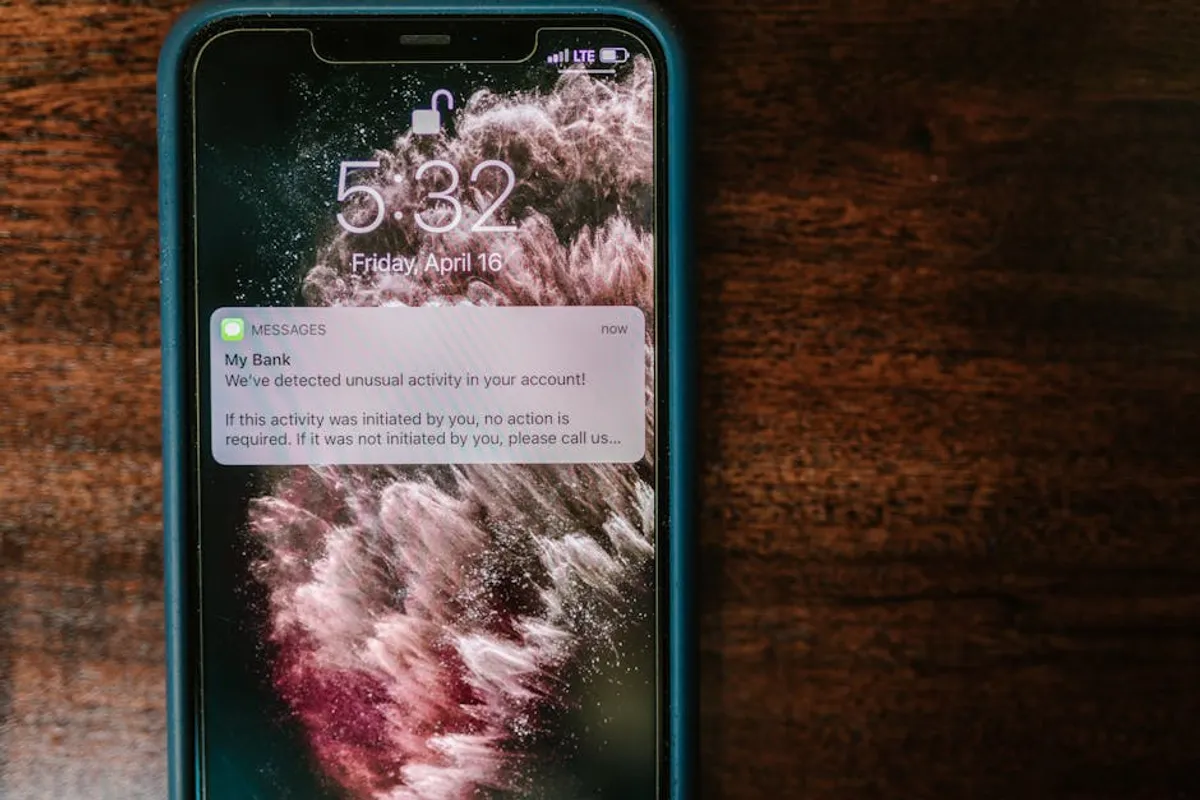
Push notifications, when deployed strategically, serve as direct communication channels, bypassing email inboxes and social media feeds to reach users instantly. Their efficacy hinges on relevance, timing, and clear calls to action. For marketers and site owners, understanding the nuances of effective push notification examples is crucial for driving engagement, recovering lost sales, and fostering customer loyalty. This article dissects various high-impact push notification strategies, providing a framework for identifying which approaches align best with specific business objectives and user behaviors. The goal is to move beyond generic alerts to implement notifications that genuinely add value for the recipient while achieving measurable commercial outcomes.
What Makes a Push Notification Effective?
Effective push notifications are not merely sent; they are crafted with intent and user context. Several core attributes define their success:
- Relevance: The notification's content must directly pertain to the user's past actions, expressed preferences, or current context. Irrelevant messages lead to immediate opt-outs.
- Timeliness: Delivery at the opportune moment maximizes impact. An abandoned cart reminder sent within minutes of abandonment is more effective than one sent hours later. Similarly, a flash sale alert must arrive while the offer is still active.
- Value Proposition: Each notification should offer a clear benefit, whether it's a discount, a solution to a problem, an update on an order, or access to new content. Users respond to perceived value.
- Clarity and Conciseness: Push notifications have limited character counts. Messages must be direct, easy to understand, and devoid of jargon. The primary message should be immediately apparent.
- Call to Action (CTA): A strong, unambiguous CTA guides the user on the desired next step. Phrases like "Shop Now," "View Order," or "Read More" convert intent into action.
- Personalization: Beyond basic segmentation, true personalization leverages individual user data—purchase history, browsing behavior, location—to create a one-to-one communication experience.
- Frequency Control: Over-notifying leads to annoyance and unsubscriptions. Establishing a sensible frequency cap, often tied to user activity levels, is critical for sustained engagement.
1. Abandoned Cart Reminders
Abandoned cart notifications target users who have added items to their shopping cart but exited before completing the purchase. These are highly specific, time-sensitive reminders designed to recover potentially lost revenue. They often include details of the items left behind, a direct link back to the cart, and sometimes a small incentive like free shipping or a percentage discount to overcome the final hurdle.
Best for: E-commerce businesses, online service providers with multi-step checkout processes, and subscription services where users start but don't finish sign-up.
Pros:
- High conversion rates due to targeting users with strong purchase intent.
- Directly impacts revenue recovery, often with a significant ROI.
- Can be automated based on user behavior, reducing manual effort.
- Offers a second chance to engage users who might have been distracted or encountered minor issues.
Cons:
- Requires robust integration with e-commerce platforms to track cart contents accurately.
- Over-aggressive or too-frequent reminders can annoy users.
- If not personalized, can feel generic and less effective.
Verdict: Essential for any online business with a shopping cart. Success hinges on precise timing (e.g., 30 minutes, 2 hours, 24 hours after abandonment) and offering a clear path back to purchase, potentially with a value-add to seal the deal.
2. Price Drop Alerts
Price drop alerts notify users when an item they previously viewed, favorited, or added to a wish list experiences a price reduction. These notifications leverage existing user interest, converting browsing intent into purchase action by highlighting a financial benefit. They are particularly effective for high-consideration purchases or items that users might be tracking for deals.
Best for: Retailers with fluctuating inventory pricing, travel booking sites, electronics stores, and any business where price is a significant purchasing factor.
Pros:
- Capitalizes on user interest, leading to higher click-through and conversion rates.
- Provides tangible value to the user by saving them money.
- Can re-engage users who were hesitant to purchase at the original price.
- Automated triggering based on price changes reduces operational overhead.
Cons:
- Requires real-time inventory and pricing data integration.
- Frequent price drops on numerous items could lead to notification fatigue if not managed carefully.
- Users might wait for price drops, potentially delaying purchases.
Verdict: A powerful conversion tool for price-sensitive markets. Implement with clear thresholds for price drops (e.g., only notify for drops exceeding 10%) and allow users to manage their watchlists to maintain relevance.
3. Back-in-Stock Notifications
These notifications inform users when a previously out-of-stock item they showed interest in (e.g., by adding to a wish list, viewing, or attempting to purchase) becomes available again. They capitalize on pent-up demand and prevent users from seeking alternatives elsewhere. The immediacy of the notification is key, as popular items can sell out quickly again.
Best for: Fashion retailers, electronics stores, popular product lines, and any e-commerce site dealing with high-demand, limited-supply items.
Pros:
- Recaptures lost sales opportunities from previously unavailable inventory.
- Highly relevant to users who explicitly expressed interest in the item.
- Drives immediate traffic and purchases for sought-after products.
- Enhances customer satisfaction by fulfilling a specific need.
Cons:
- Requires accurate, real-time inventory management systems.
- If an item sells out again quickly, users might be disappointed.
- Can be less effective for products with readily available substitutes.
Verdict: Highly effective for converting latent demand into immediate sales. Ensure the notification links directly to the product page and that inventory levels are sufficient to meet the anticipated surge in demand.
4. New Content/Product Announcements
This category encompasses notifications for new blog posts, articles, videos, product launches, or feature releases. Their purpose is to drive traffic to fresh content or new offerings, keeping the audience engaged and aware of the latest updates. They often include a compelling headline or a brief summary to entice clicks.
Best for: Publishers, media outlets, SaaS companies launching new features, e-commerce sites with frequent product updates, and content creators.
Pros:
- Drives immediate traffic to new content or products, boosting initial engagement.
- Helps maintain audience interest and establishes the brand as a source of fresh information or innovation.
- Can be segmented based on user preferences (e.g., specific content categories) for increased relevance.
- Supports SEO efforts by increasing initial page views and engagement signals.
Cons:
- Over-notifying with every new piece of content can lead to user fatigue.
- Content quality must be consistently high to justify the interruption.
- Requires a robust content strategy to ensure a steady stream of valuable updates.
Verdict: A valuable tool for audience retention and content distribution. Segment users by interest and control frequency to deliver only the most relevant updates, ensuring each notification feels like a privilege, not a burden.
5. Order Status Updates
Transactional notifications that provide real-time information about a user's purchase, such as order confirmation, shipping updates, delivery confirmations, or delays. These notifications build trust and reduce customer service inquiries by proactively informing users about their order's journey. They are expected and appreciated by customers.
Best for: All e-commerce businesses, food delivery services, logistics companies, and any service involving physical product delivery.
Pros:
- Significantly improves customer experience and builds trust.
- Reduces inbound customer service calls and emails related to order tracking.
- Provides peace of mind to customers, especially for high-value purchases.
- High open rates due to immediate relevance to the user's purchase.
Cons:
- Requires seamless integration with order management and shipping systems.
- Inaccurate or delayed updates can erode trust.
- Must be carefully worded to avoid ambiguity, especially for delays.
Verdict: Non-negotiable for e-commerce. These notifications are not promotional but foundational for customer satisfaction. Ensure accuracy and provide clear links to detailed tracking information.
6. Personalized Recommendations
These notifications suggest products, content, or services tailored to an individual user's browsing history, purchase patterns, or stated preferences. Leveraging AI and machine learning, they aim to anticipate user needs and present relevant options, often resulting in discovery and additional purchases. They move beyond broad segmentation to individual user profiles.
Best for: E-commerce platforms, streaming services, content recommendation engines, online learning platforms, and any business with a large catalog of offerings.
Pros:
- Drives higher engagement and conversion rates due to extreme relevance.
- Enhances the user experience by simplifying discovery.
- Increases average order value and customer lifetime value.
- Can re-engage dormant users with highly targeted suggestions.
Cons:
- Requires sophisticated data analytics and recommendation engines.
- Poor recommendations can feel intrusive or irrelevant, leading to negative user perception.
- Data privacy concerns must be addressed transparently.
Verdict: A powerful strategy for increasing revenue and user satisfaction, but demanding in terms of data infrastructure. Focus on providing genuinely useful suggestions rather than just pushing inventory, and allow users to refine their preferences.
7. Re-engagement Campaigns
Designed to reactivate inactive or dormant users, these notifications aim to bring them back to the platform or service. They can highlight new features, offer special incentives, or remind users of uncompleted tasks. The key is to provide a compelling reason for the user to return, often after a defined period of inactivity.
Best for: SaaS products, mobile apps, social media platforms, online communities, and subscription services with churn concerns.
Pros:
- Cost-effective way to retain existing users compared to acquiring new ones.
- Can significantly reduce churn rates and improve overall user retention.
- Opportunities to highlight new value propositions or address common reasons for inactivity.
Cons:
- Requires precise segmentation to identify genuinely inactive users without alienating active ones.
- If the core product or service issues remain, re-engagement efforts may be temporary.
- Can be perceived as desperate if the value proposition isn't strong.
Verdict: Crucial for maintaining a healthy user base. Offer clear, compelling reasons to return, such as a personalized discount, access to a new feature, or a reminder of accumulated benefits (e.g., loyalty points). Test different messages and timings to find optimal re-engagement points.
8. Limited-Time Offer/Flash Sale Alerts
These notifications create a sense of urgency and scarcity, prompting immediate action by highlighting deals that are valid for a short duration. They often feature countdown timers or explicit expiry dates to drive impulse purchases. The perceived value of the offer must be strong to justify the urgency.
Best for: E-commerce, ticketing platforms, event promotions, and any business looking to clear inventory or boost sales during specific periods.
Pros:
- Generates immediate sales spikes and clears inventory efficiently.
- Creates excitement and a fear of missing out (FOMO) among users.
- Can be highly effective for driving impulse buys.
- Easy to track direct ROI from specific campaigns.
Cons:
- Overuse can desensitize users and diminish the impact of future offers.
- Requires careful planning to ensure sufficient stock and infrastructure to handle demand.
- If the offer isn't genuinely compelling, it can be ignored.
Verdict: Potent for short-term revenue boosts. Use sparingly and ensure the offers are genuinely attractive. Combine with audience segmentation to ensure the offer is relevant to the recipient's past behavior or stated interests.
9. Event Reminders
Notifications that remind users about upcoming events they've registered for, expressed interest in, or that are relevant to their profile. This includes webinars, live streams, online conferences, or in-person events. They ensure attendance and engagement by providing timely nudges before the event begins.
Best for: Event organizers, educational platforms, media companies hosting live content, and B2B businesses running webinars.
Pros:
- Significantly increases attendance rates for virtual and physical events.
- Reduces no-shows and ensures maximum engagement.
- Can include direct links to join or add to calendars, streamlining the user experience.
- Builds anticipation and reinforces the value of the event.
Cons:
- Requires accurate event registration and scheduling data.
- Too many reminders can be annoying if not spaced appropriately.
- If the event is canceled or delayed, rapid communication is critical to avoid frustration.
Verdict: Highly effective for maximizing event participation. Send multiple reminders (e.g., 24 hours, 1 hour, 5 minutes before) but allow users to opt out of specific event series. Include all necessary details like time, date, and join links.
10. Feedback Requests/Surveys
These notifications solicit user feedback on recent experiences, purchases, or feature usage. They are invaluable for gathering insights, identifying areas for improvement, and demonstrating that user opinions are valued. They often link directly to a short survey or a review form.
Best for: E-commerce after delivery, SaaS after feature usage, service providers post-interaction, and any business aiming to improve customer satisfaction and product development.
Pros:
- Provides direct, actionable insights into customer sentiment and product performance.
- Demonstrates a commitment to customer satisfaction and continuous improvement.
- Can identify potential issues before they escalate into churn.
- High response rates when timed correctly after a specific interaction.
Cons:
- Poorly timed or overly frequent requests can annoy users.
- Surveys must be concise and easy to complete to maximize participation.
- Requires a system to collect and analyze feedback effectively.
Verdict: Essential for customer-centric businesses. Time these requests strategically, such as immediately after a positive interaction (e.g., successful delivery) or a significant product milestone. Keep surveys brief and offer an incentive for completion if response rates are low.
11. Geolocation-Based Promotions
These notifications are triggered when a user enters or exits a predefined geographical area (geofence). They deliver highly localized and contextually relevant promotions or information, such as discounts at a nearby store, reminders about a local event, or directions to a specific point of interest. This leverages the user's immediate physical context.
Best for: Brick-and-mortar retail, restaurants, event venues, tourism boards, and businesses with physical locations looking to drive foot traffic.
Pros:
- Extremely high relevance due to immediate physical proximity.
- Drives foot traffic and immediate purchasing decisions.
- Can be used for hyper-targeted local campaigns.
- Enhances the in-store or on-location experience.
Cons:
- Requires user permission for location tracking, which can be a privacy concern for some.
- Can be perceived as intrusive if not implemented thoughtfully or if messages are irrelevant.
- Battery drain concerns for continuous location monitoring.
- Effectiveness depends on the density of physical locations and user footfall.
Verdict: Powerful for driving offline engagement but requires careful implementation and transparent communication about data usage. Focus on providing genuine value based on location, such as exclusive in-store offers or helpful information pertinent to their immediate surroundings.
12. Breaking News Alerts
For news organizations and content publishers, these notifications deliver urgent, high-impact news stories directly to the user. They prioritize timeliness and conciseness, providing a headline and a direct link to the full article. The goal is to be the first source of critical information, fostering reliance on the platform for timely updates.
Best for: News media outlets, financial news services, weather alert systems, and any platform whose primary value proposition is real-time information dissemination.
Pros:
- Establishes the platform as a primary source for critical, real-time information.
- Drives immediate traffic to high-value content.
- Can significantly increase user engagement during major events.
- High open rates for genuinely breaking and important news.
Cons:
- Overuse or sending non-critical news as "breaking" can lead to rapid opt-outs.
- Requires a robust editorial process to ensure accuracy and relevance of alerts.
- Users expect immediate delivery, requiring a reliable technical infrastructure.
Verdict: Indispensable for news and information services. Reserve "breaking news" for truly significant developments. Allow users to customize their alert preferences (e.g., specific topics, local news) to maintain relevance and prevent fatigue.
Measuring Success and Choosing the Right Strategy
To determine the effectiveness of any push notification strategy, focus on key performance indicators (KPIs) beyond simple delivery rates. Track click-through rates (CTR) to understand how compelling your messages are, and conversion rates to measure direct business impact (e.g., sales, sign-ups, content views). Monitor opt-out rates as a critical indicator of user satisfaction and notification fatigue. A rising opt-out rate signals a need to refine targeting, frequency, or content relevance.
Choosing the right push notification examples for your business involves a clear understanding of your audience's journey and your primary objectives. If your goal is immediate revenue recovery, abandoned cart reminders are paramount. If it's long-term engagement and content consumption, personalized recommendations and new content alerts are more suitable. For brick-and-mortar traffic, geolocation-based promotions become critical. Start with one or two high-impact strategies, A/B test variations, and iterate based on performance data. Prioritize user value over aggressive promotion to build a sustainable, effective push notification channel.
Frequently Asked Questions
What is the ideal frequency for sending push notifications?
The ideal frequency varies significantly by industry, user behavior, and the type of notification. Transactional notifications (like order updates) can be sent as needed. Promotional or content-related notifications should be less frequent, typically no more than 1-3 per day, and often much less. The best approach is to test different frequencies with your audience segments and monitor opt-out rates to find the optimal balance.
Can push notifications be personalized for individual users?
Yes, personalization is a key driver of push notification effectiveness. Leveraging user data such as browsing history, purchase behavior, demographics, and stated preferences allows for highly relevant messages. Dynamic content, such as inserting a user's name or specific product details, significantly boosts engagement compared to generic broadcasts.
Are push notifications effective for all types of businesses?
Push notifications are highly versatile and can benefit a wide range of businesses, including e-commerce, media publishers, SaaS companies, mobile app developers, and even brick-and-mortar stores. Their effectiveness depends on aligning the notification strategy with specific business goals and user needs. Businesses with regular updates, transactional processes, or a strong content focus tend to see the highest returns.
How do push notifications compare to email marketing?
Push notifications offer immediacy and higher visibility, appearing directly on a user's screen without requiring an app to be open or an email inbox to be checked. They typically have higher open rates than email but limited character counts. Email marketing allows for richer content, longer messages, and more complex segmentation. Both channels are complementary; push notifications are excellent for urgent, concise messages, while email is better for detailed communications and nurturing longer-term relationships.